Sign Up
To use YourCalls, you must first create an account and complete the onboarding process.
Step 1: Create Account
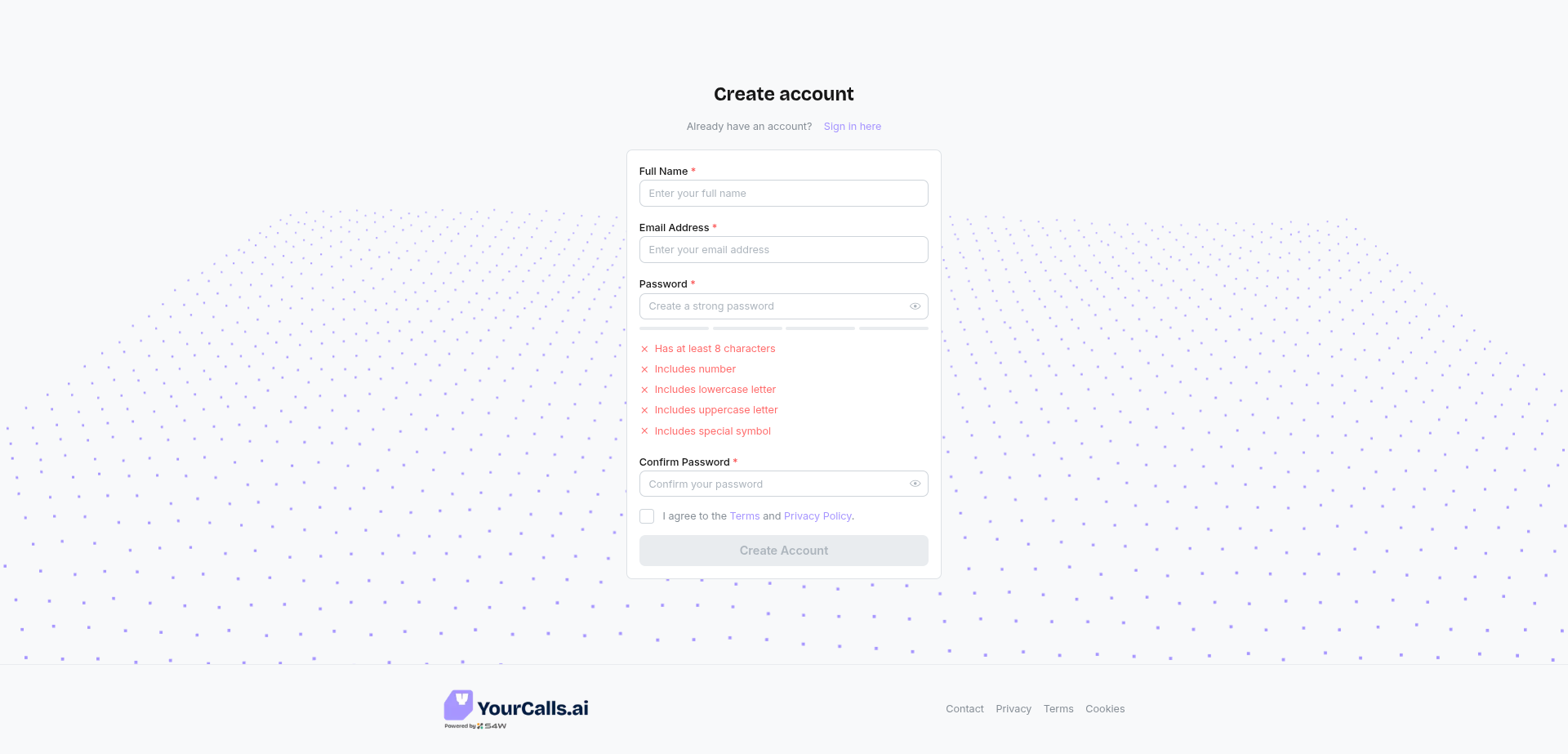
- Navigate to the Sign Up.
- Enter your Email and Password.
- Click Create Account.
- You will receive a verification email. Click the link to verify your account.
Step 2: Onboarding (Company Setup)
Once verified, you will be guided through a 2-step onboarding process:
1. Company Details
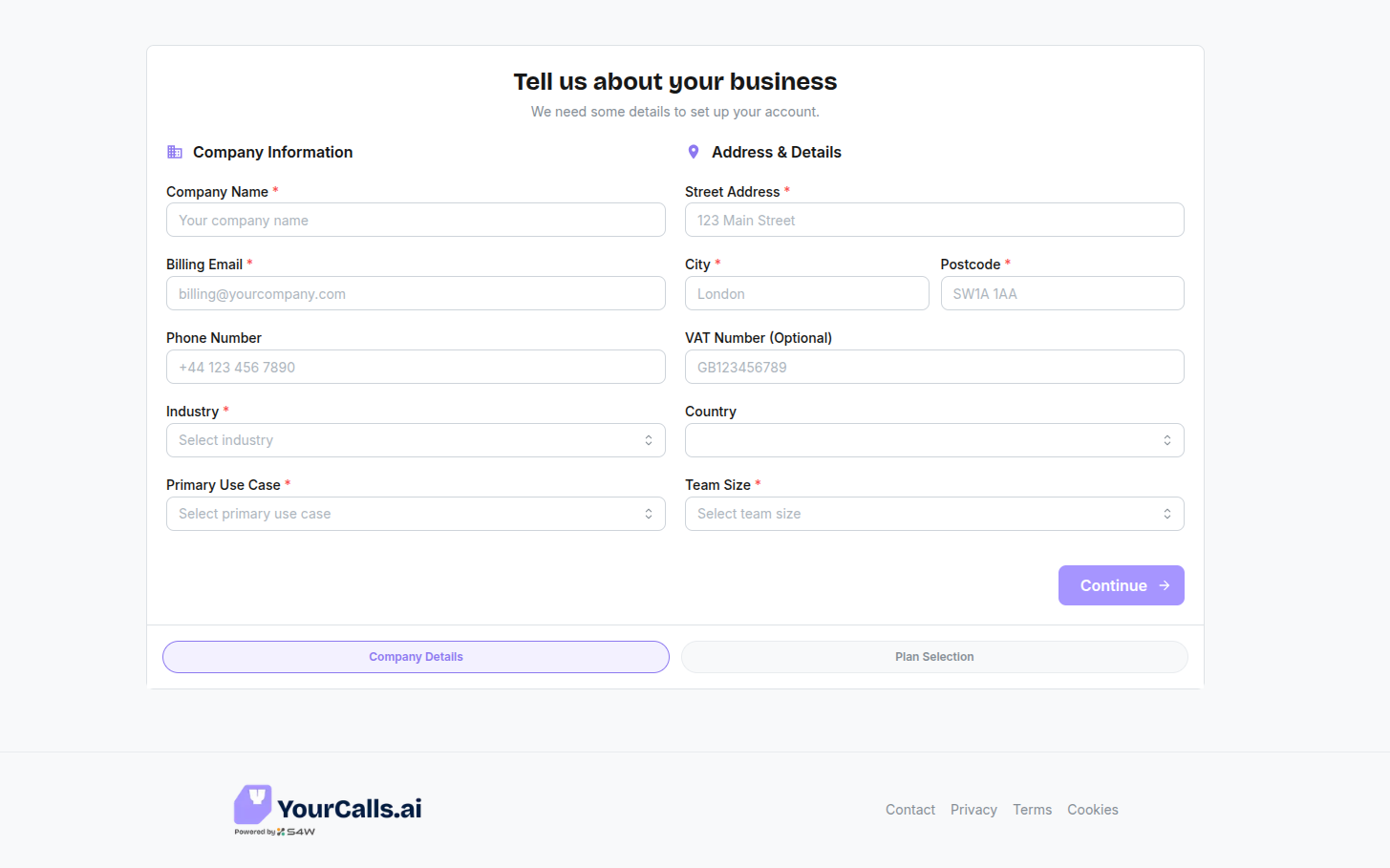
You need to provide essential business information:
- Company Name: Your business name.
- Contact Info: Billing email and phone number.
- Address: Your billing address.
- Business Details: Industry, team size, and primary use case.
2. Plan Selection
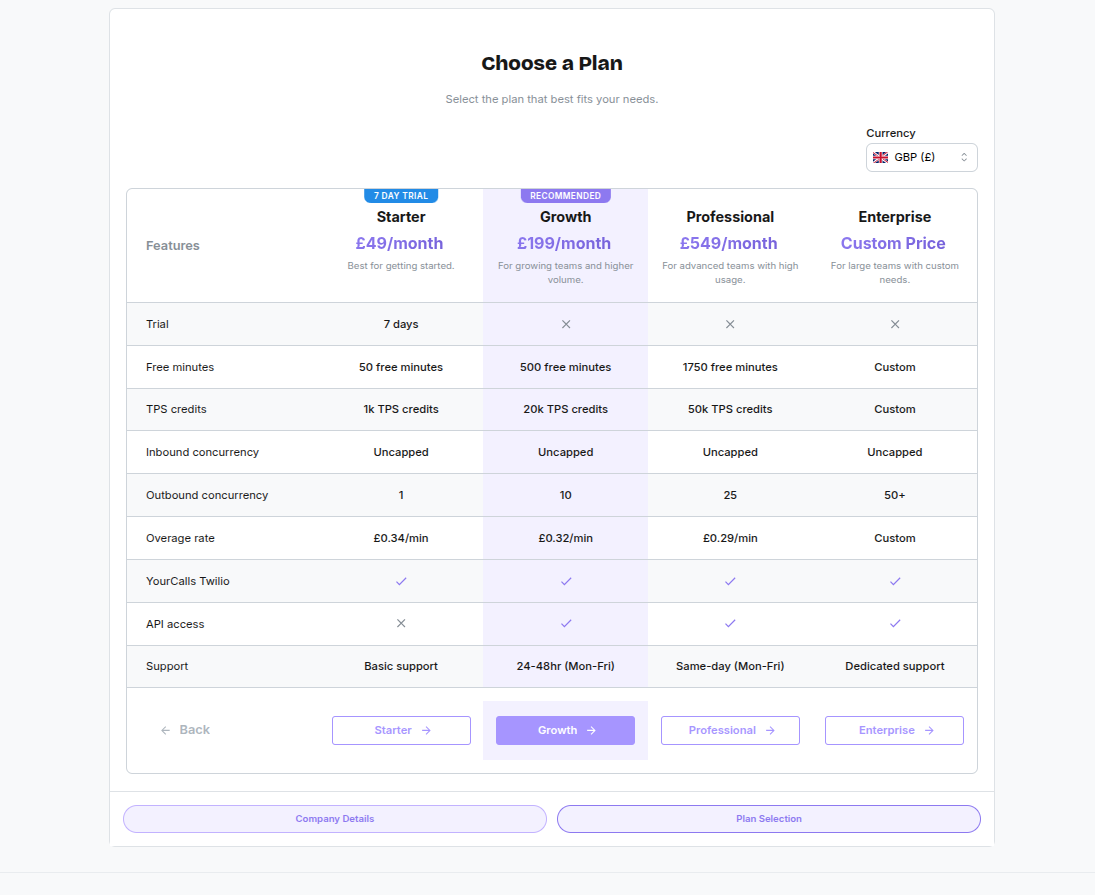
Choose the subscription plan that fits your needs:
- Starter: For small teams (includes trial).
- Growth / Professional / Enterprise: For scaling operations.
- Note: You can start a trial on the Starter plan.
tip
You can change your plan at any time after signup. Go to Settings > Billing and click Change plan to upgrade or downgrade your subscription.
Once completed, you will be redirected to the main dashboard.