Knowledge Base Overview
Knowledge Bases (KB) are where you store the information that YourCalls Assistants use during calls.
Each assistant can be linked to one or more KBs, and will only answer questions based on the content in those KBs.
You can manage Knowledge Bases from the dashboard at /client/knowledge-base.
Managing Knowledge Bases
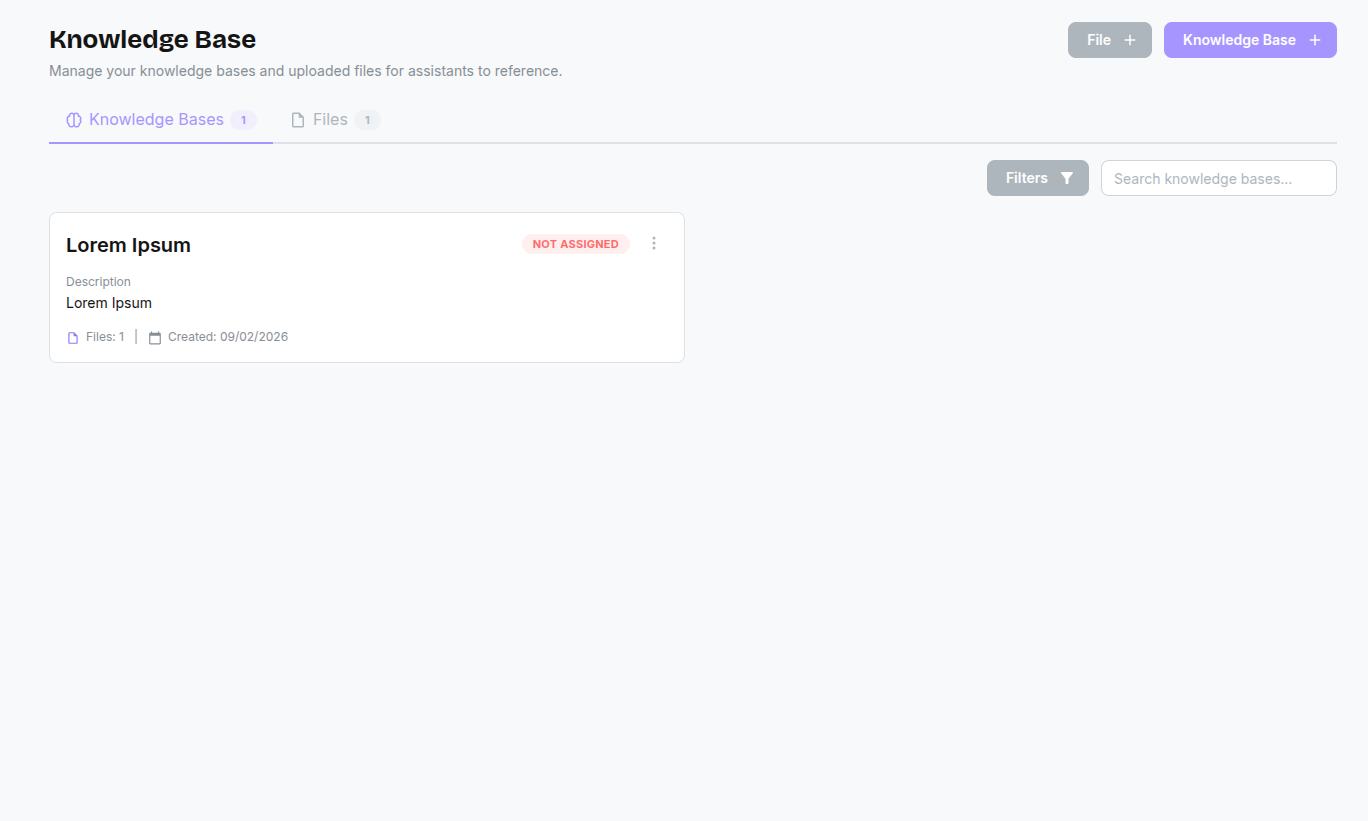
The page is organized into two tabs:
- Knowledge Bases: Collections of files grouped together.
- Files: All individual documents uploaded to your account.
Creating a KB
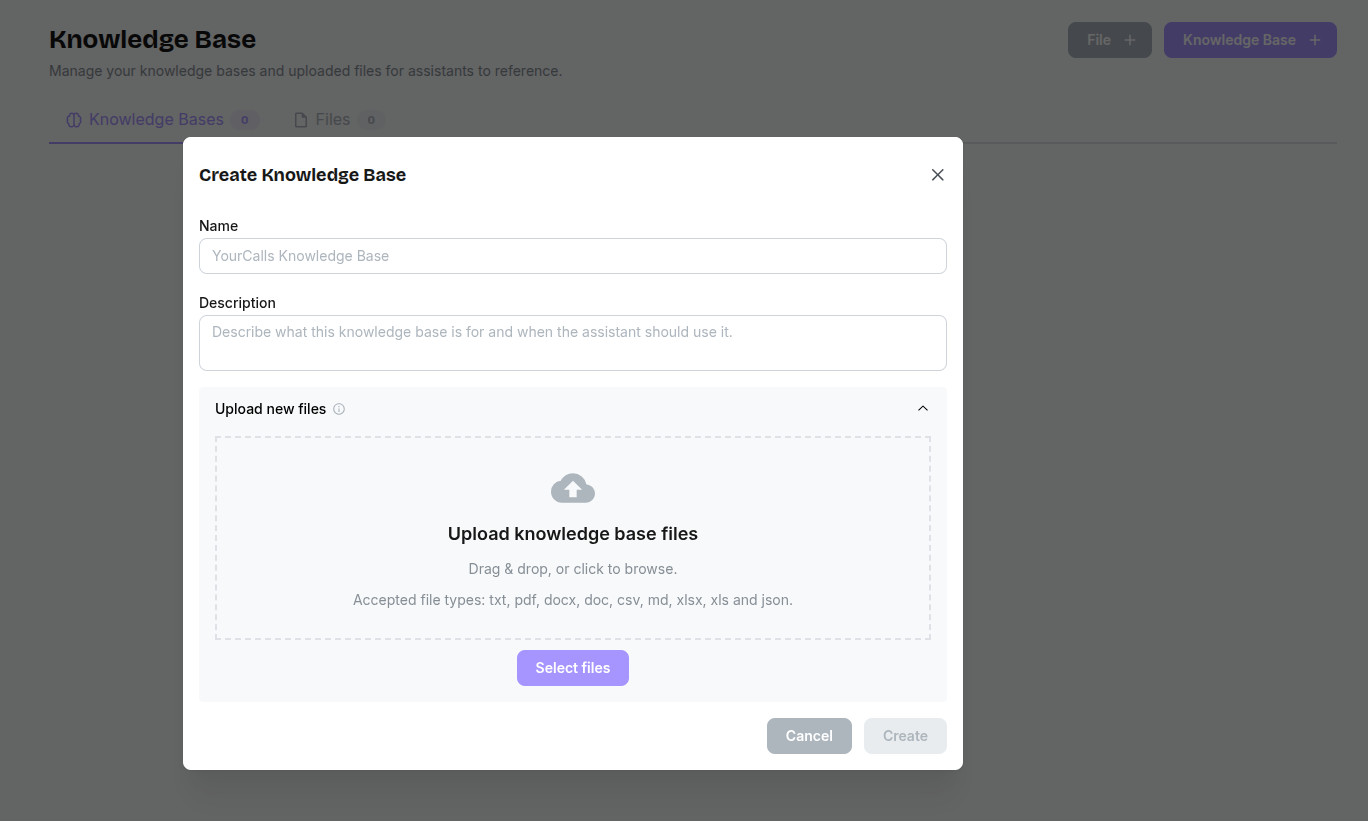
When you create a Knowledge Base you define a reusable set of documents that can be attached to one or more assistants:
- Click + Knowledge Base.
- Give it a Name and Description that describe what this KB is about (for example, “Inbound Sales FAQ” or “Post‑purchase Support – UK”).
- Add Files: Select existing files or upload new ones (PDF, text, etc.) that contain the information you want assistants to use.
- Assign Assistants: Choose which assistants should be allowed to reference this KB when handling calls.
Uploading Files
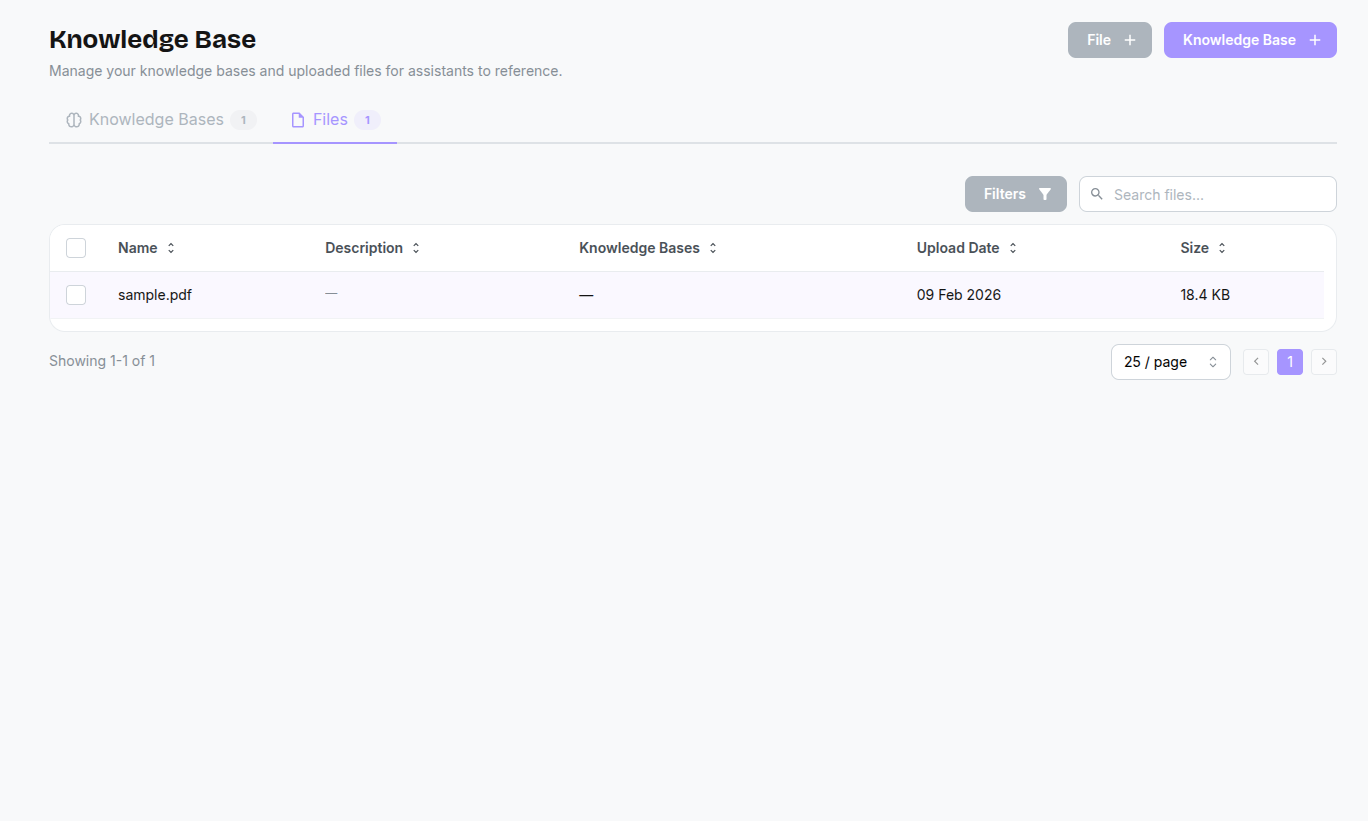
You can upload files directly via the + File button. Once uploaded, a file can be added to multiple Knowledge Bases.
Supported Formats & Limits
| Format | Extension |
|---|---|
.pdf | |
| Plain Text | .txt |
| Markdown | .md |
| Word Document | .doc, .docx |
| CSV | .csv |
| Excel | .xls, .xlsx |
| JSON | .json |
Each uploaded file must be 50 MB or smaller.
Optional File Summarisation
In the Add Files modal, supported document types (PDF/Word) include a Summarise checkbox with an info tooltip.
- When enabled: YourCalls converts the document into a cleaner text-first format for better AI context usage.
- When disabled: YourCalls uploads the file as-is.
Best Practices
To get the best results from your Knowledge Bases:
- Keep documents focused: A KB titled "Return Policy" should only contain return policy information — not your full terms of service.
- Use clear headings: Structure documents with headings and bullet points so the AI can quickly find relevant sections.
- Avoid images and complex tables: The AI reads text content. Information embedded in images or deeply nested tables may not be extracted.
- Update regularly: If your policies, pricing, or business hours change, upload updated documents to keep the AI's answers accurate.
How the AI Uses Knowledge Bases
The AI is automatically aware of all Knowledge Bases assigned to it. When the caller asks a relevant question during a conversation, the AI will invariably check its Knowledge Bases first before formulating an answer.
- It searches the linked Knowledge Bases for the most relevant text chunks.
- It reads the matching content and formulates a natural-sounding answer.
- It responds to the caller based exclusively on what it found in your documents — not from memory or guesswork.
This prevents the AI from hallucinating answers and ensures your customers get accurate, up-to-date information every time.