Zapier Integration
Use Zapier Embedded in YourCalls to automate workflows between YourCalls and 7,000+ apps.
Current built-in features:
- Triggers:
Call Ended,Before Call Request - Actions:
Create Call,Before Call Response
Prerequisites
Before creating your first Zap in Zapier Embedded:
- Create a paid YourCalls account.
- Ensure you have at least one outbound assistant configured.
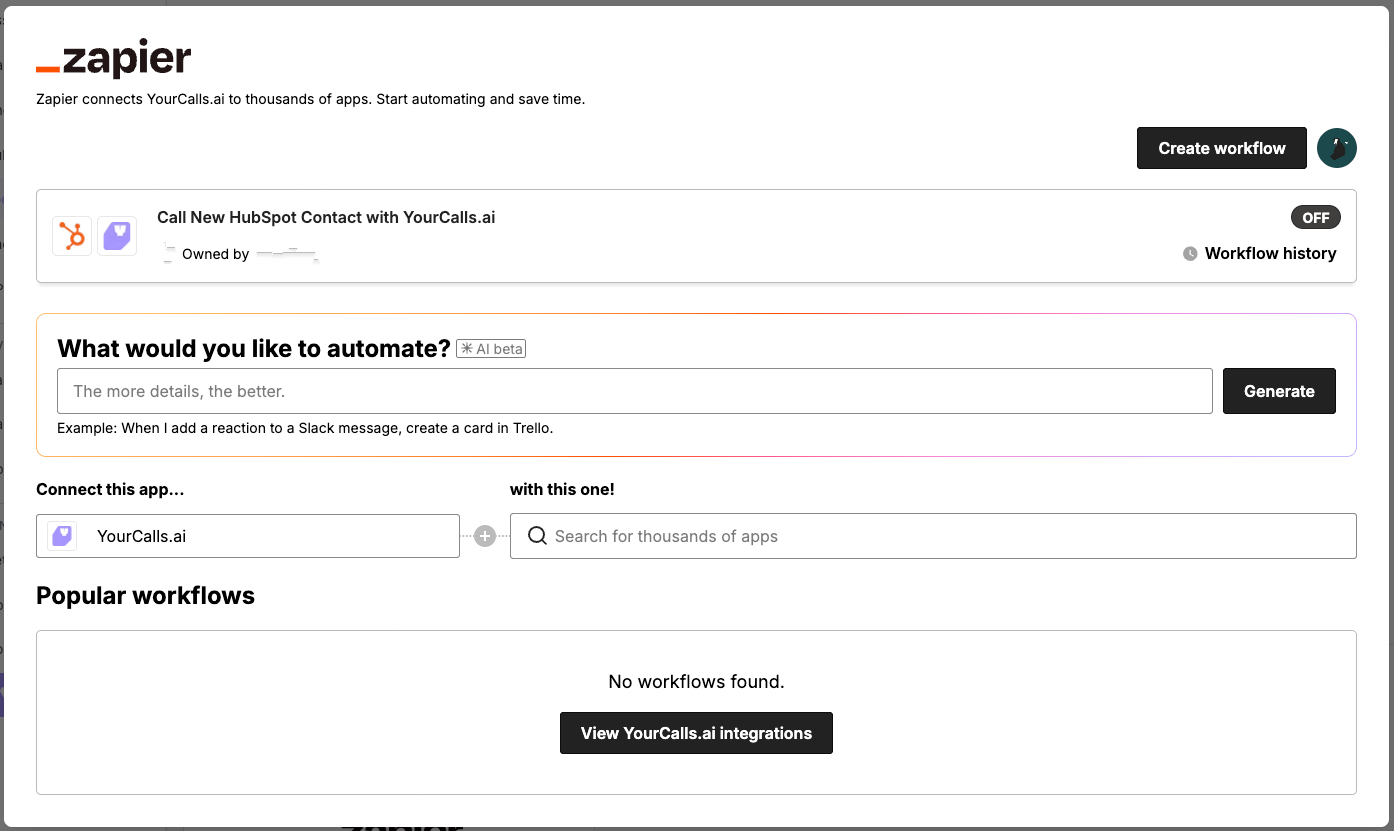
Open Zapier Embedded from YourCalls
- In the dashboard, go to Tools.
- Scroll to External Tools.
- Click the Zapier card to open Zapier Embedded.
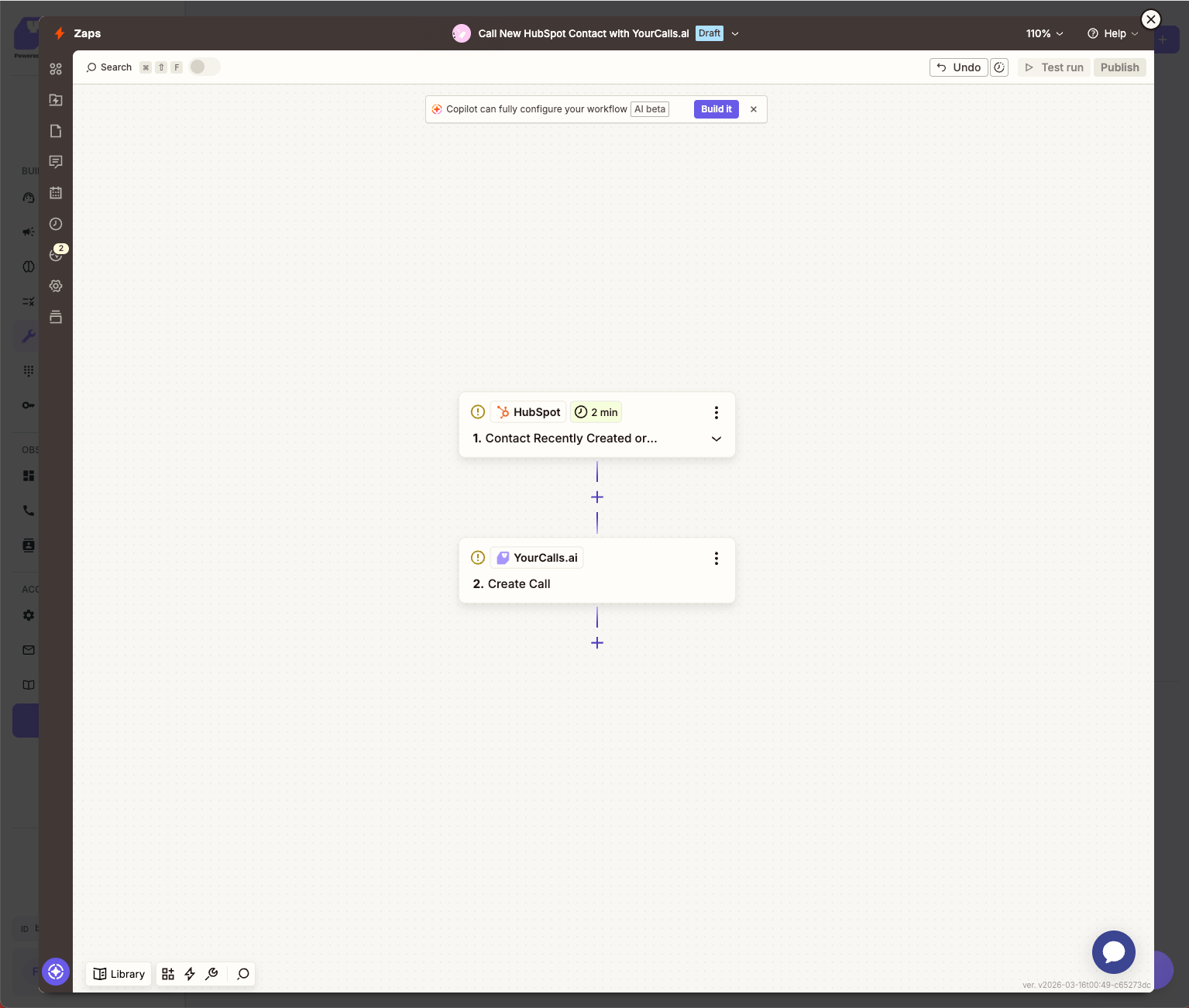
Example workflow: HubSpot new contact -> YourCalls create call
Here is a simple workflow example where Zapier:
- Triggers when a new contact is created in HubSpot.
- Calls the YourCalls action
Create Call.
Trigger: Call Ended
Use this instant trigger when you want the Zap to run as soon as a call finishes.
Optional filter:
assistant_idcan be set on trigger subscribe.- If left blank, Zapier receives events for all assistants in the company.
Example payload:
{
  "event": "call.ended",
  "event_id": "66666666-7777-8888-9999-000000000000",
  "occurred_at": "2026-02-10T12:12:00.000Z",
  "company_id": "aaaaaaaa-bbbb-4ccc-8ddd-eeeeeeeeeeee",
  "data": {
    "request_id": "aaaaaaaa-bbbb-4ccc-8ddd-eeeeeeeeeeee",
    "call_id": "ffffffff-1111-4222-8333-444444444444",
    "assistant_id": "12345678-1234-4234-9234-1234567890ab",
    "status": "ended",
    "from_phone_number": "+447700900999",
    "to_phone_number": "+447700900123",
    "started_at": "2026-02-10T12:11:00.000Z",
    "ended_at": "2026-02-10T12:12:00.000Z",
    "duration_seconds": 60,
    "ended_reason": "customer-ended-call",
    "summary": "Call summary text",
    "recording_url": "https://example.com/recording.mp3",
    "analysis": {
      "sentiment_score": 8,
      "traffic_light": "green",
      "qualified": true,
      "feedback_summary": "Strong intent"
    },
    "transcript": "Sample transcript",
    "metadata": {
      "source": "manual_outbound_call",
      "lead_source": "zapier"
    }
  }
}
Typical use cases:
- send call summaries to Slack/Teams
- create CRM notes after calls
- branch logic based on qualification or sentiment
Trigger: Before Call Request
Use this trigger when you want Zapier to approve/reject a call before it continues, optionally adding assistant variables.
The trigger includes:
request_idand deferredtoken- expiration and timeout metadata
responder_urlto send the decision- caller context (
customer_number,phone_number)
Example payload:
{
  "event": "before_call.request",
  "event_id": "11111111-2222-4333-8444-555555555555",
  "occurred_at": "2026-03-11T14:00:00.000Z",
  "company_id": "aaaaaaaa-bbbb-4ccc-8ddd-eeeeeeeeeeee",
  "data": {
    "request_id": "99999999-8888-4777-8666-555555555555",
    "call_request_id": "callreq_123456789",
    "campaign_id": "camp_123456789",
    "assistant_id": "12345678-1234-4234-9234-1234567890ab",
    "customer_number": "+447700900123",
    "phone_number": "+447700900456",
    "tool_run_id": "toolrun_123456789",
    "tool_id": "abcdefab-1234-4abc-9def-1234567890ab",
    "tool_name": "Before Call Validation",
    "token": "sample_deferred_token_abcdefghijklmnopqrstuvwxyz",
    "expires_at": "2026-03-11T14:00:10.000Z",
    "timeout_ms": 10000,
    "responder_url": "https://<responder-host>/webhooks/before-call-response"
  }
}
responder_url is where you post the before-call response back to. Read it from the payload each time rather than hard-coding it, as the host can change.
Action: Create Call
Use this action to start an outbound call from Zapier.
Inputs:
assistant_id(required)target_phone_number(required, E.164 format, for example+442079460958)variables_json(optional JSON object)metadata_json(optional JSON object)use_contact_lookup(optional boolean, deprecated)
variables_json example:
{
  "first_name": "Alex",
  "appointment_date": "2026-03-01",
  "plan_type": "Growth"
}
Each key becomes a variable the assistant reads as {{vars.<name>}}, so first_name above is {{vars.first_name}}. Names must be lower case with underscores. A camelCase key such as firstName is not a valid variable name, so the value arrives on the call and can never be read. See Variables.
metadata_json example:
{
  "lead_source": "zapier",
  "campaign_name": "lead-follow-up",
  "external_contact_id": "hs_12345"
}
Some metadata_json keys are reserved and will be rejected: source, request_id, company_id, assistant_id, use_contact_lookup, contact_lookup_matched, campaign_id, and contact_id. Prefix your own keys so they cannot collide, as in the example above.
use_contact_lookup is accepted and ignored, whichever way you set it. Every outbound call is now matched to the contact holding that phone number, and a contact is created if none holds it yet, so there is nothing left to switch on. Leave the field empty. It is removed in the next release. The assistant still uses only the values you pass in variables_json.
Example output:
{
  "request_id": "aaaaaaaa-bbbb-4ccc-8ddd-eeeeeeeeeeee",
  "call_id": "ffffffff-1111-4222-8333-444444444444",
  "status": "in_progress",
  "from_number": "+447700900999"
}
Action: Before Call Response
Use this action to respond to a before_call.request trigger.
Inputs:
request_id(required)token(required)answer(required boolean)reason(optional, used when blocking)assistant_variables_json(optional JSON object to inject variables)
Example input:
{
  "request_id": "99999999-8888-4777-8666-555555555555",
  "token": "sample_deferred_token_abcdefghijklmnopqrstuvwxyz",
  "answer": true,
  "assistant_variables_json": {
    "crm_tier": "gold",
    "lead_score": "92"
  }
}
Example output:
{
  "success": true,
  "data": {
    "accepted": true,
    "requestId": "99999999-8888-4777-8666-555555555555"
  }
}
Testing checklist
- Open Zapier Embedded from Tools -> External Tools -> Zapier.
- Test
Create Calland confirm arequest_idis returned. - Place a test call and wait for
call.endedto appear in Zapier trigger tests. - Confirm mapped fields such as
event_id,data.call_id,data.assistant_id, anddata.duration_seconds. - Test
before_call.requesttrigger and confirm it includescustomer_number,phone_number,token, andresponder_url. - Test
before_call.responseand confirm accepted responses are returned.
Troubleshooting
- The Zapier card does not open: refresh the page and try again.
- The embedded view does not load: confirm you are logged in to the correct YourCalls account.
422 assistant_missing_phone_number: link an outbound number to the assistant.422 region_not_supported: outbound calls go to UK numbers (not Jersey, Guernsey or the Isle of Man) unless another region has been arranged with us. Premium-rate, personal and corporate numbers are refused the same way.422 invalid_phone_number: the number cannot exist in its country. Check it at its source before retrying.429 concurrency_full: retry with backoff.- Trigger unsubscribe returns
404 webhook_not_found: this usually means it was already removed and can be treated as already unsubscribed.