Rules Overview
Rules let you define reusable global instructions for assistants.
Use Rules for things that should be applied consistently across conversations, such as:
- Pronunciation guidance for product names and abbreviations.
- Response behavior instructions (for example, always wait for a user answer before continuing).
You can manage Rules in the dashboard at /client/rules.
Rules Page
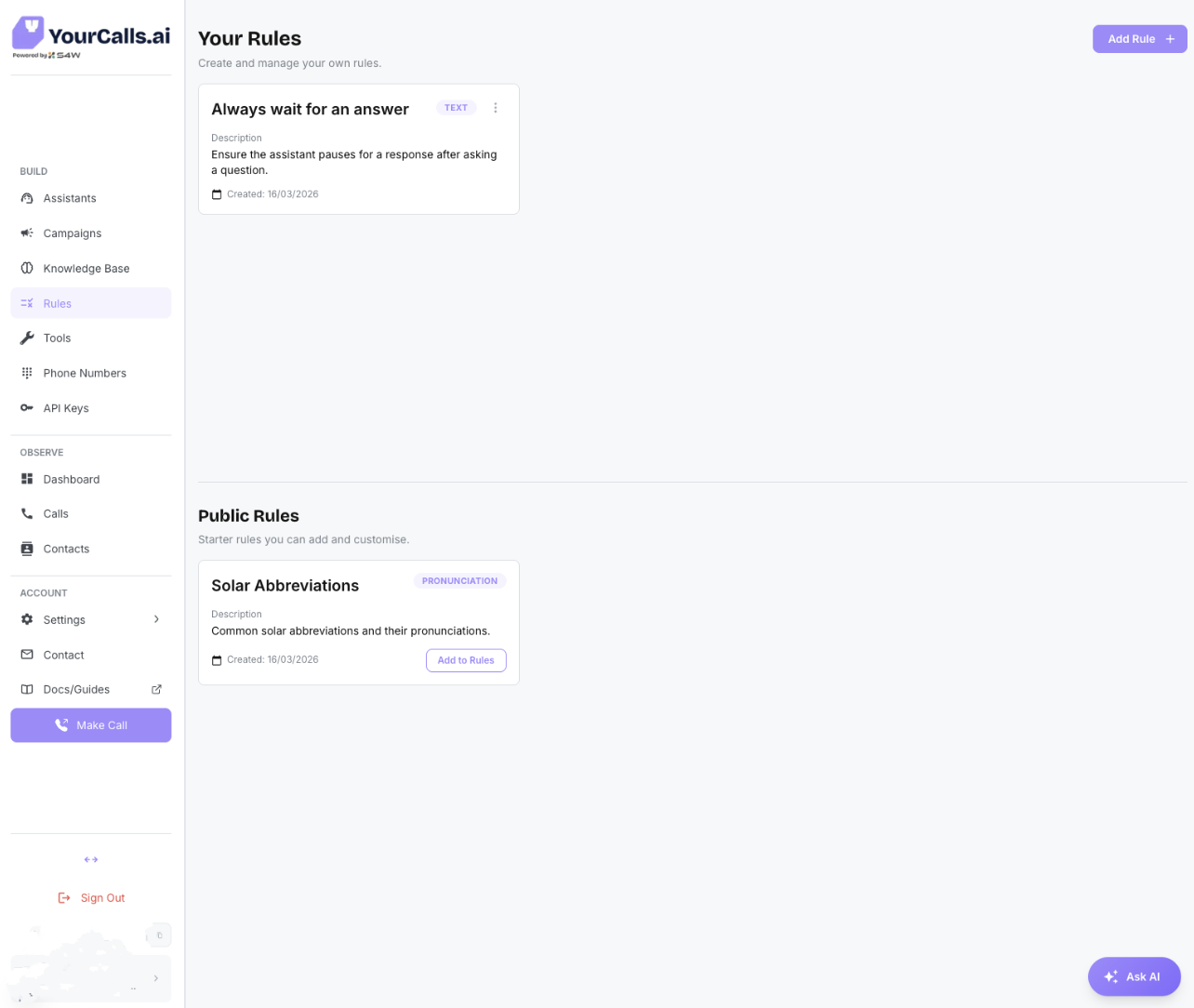
The Rules page is split into two sections:
- Your Rules: rules your team has created.
- Public Rules: starter templates provided by YourCalls.
From this page you can:
- Create a new rule.
- Edit or delete your existing rules.
- Add a public rule template into your own rules and customise it.
Rule Types
When creating a rule, choose one of three options:
- Pronunciation
- Text
- AI
Pronunciation Rule
Use this when you want the assistant to say specific words in a specific way.
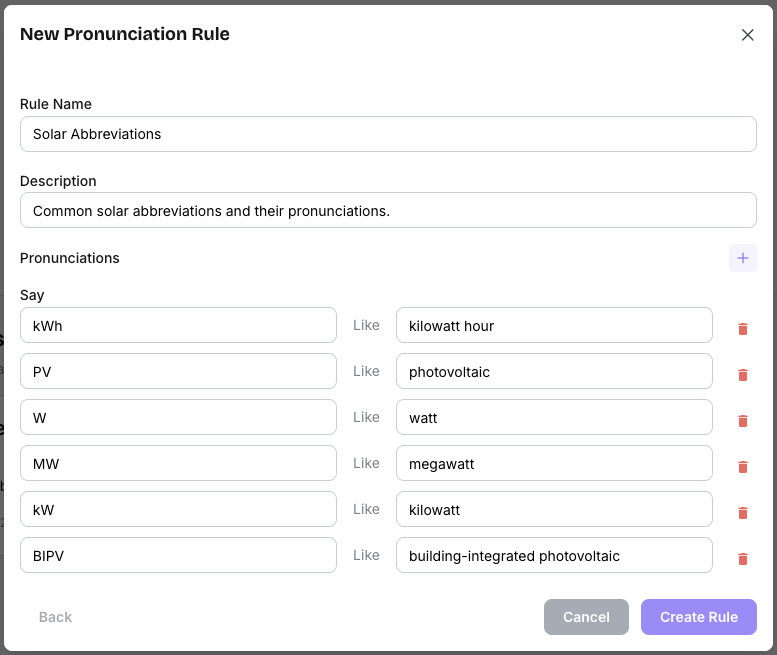
How it works:
- Add one or more Say -> Like pairs.
- Save the rule and attach it in the assistant builder.
- The rule is added to the assistant prompt under the Rules section.
Example:
- Say:
kWh - Like:
kilowatt hour
Text Rule
Use this when you need broader instruction logic written in Markdown.
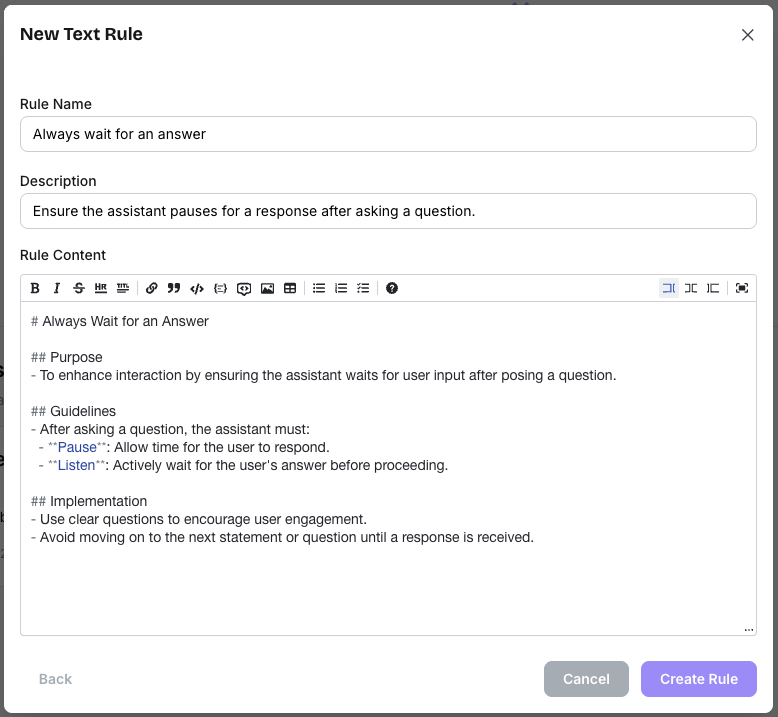
How it works:
- Enter a rule name and description.
- Write instruction content in Markdown.
- Save and attach the rule in the assistant builder.
Common use case:
- Instruct the assistant to always pause and wait for the user's answer after asking a question.
AI Rule Creation
Use AI to generate a draft rule, then review and edit before saving.
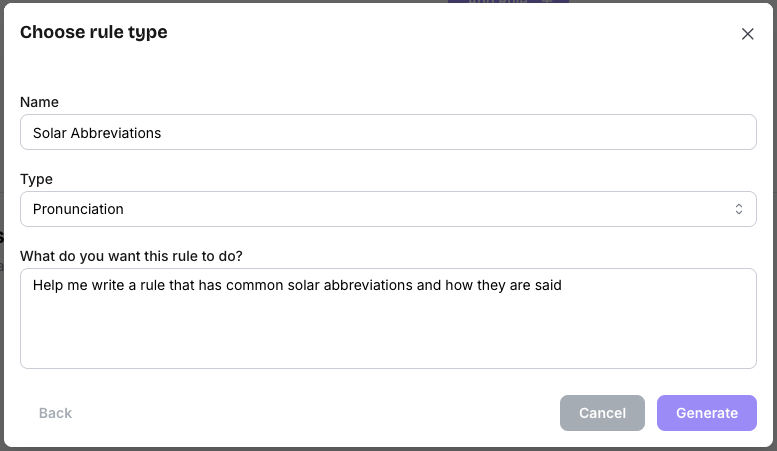
Flow:
- Enter a name.
- Choose the type (Text or Pronunciation).
- Describe what you want the rule to do.
- Click Generate.
- Review and edit the generated draft, then create the rule.
Using Rules in Assistants
Rules are applied through the assistant builder using the Rule node.
- Add a Rule node to your flow.
- Select one of your saved rules from the dropdown.
- Save draft or publish the assistant.
When published, selected rules are compiled into the assistant prompt under a dedicated Rules section.
Best Practices
- Keep each rule focused on one clear behavior.
- Use clear names and descriptions so teams can reuse rules safely.
- Prefer multiple small rules over one very large mixed rule.
- For pronunciation rules, keep each pair exact and unambiguous.